Alogic Edge 5K 40-inch ultrawide monitor review
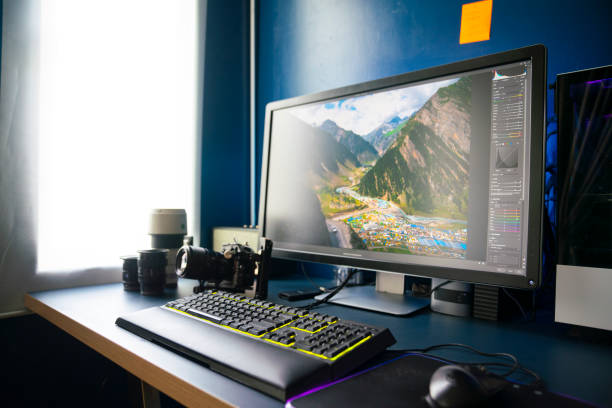
Alogic’s Edge 5K 40-inch ultrawide pairs a massive 21:9 panel with a 5120 x 2160 resolution and a built-in USB-C dock that can power and connect a laptop over a single cable. In testing, it delivered strong overall performance, though color coverage sits below some professional targets and the built-in speakers trail behind the rest of the design. Calibrated properly, this is a capable, Mac-friendly creative monitor that can handle photography, video work, and busy multitasking workflows at a comparatively friendly price.
Key specs at a glance
- Panel: 40-inch IPS, 5120 x 2160 (5K2K), 21:9
- Refresh: 60 Hz / 100 Hz
- Brightness/contrast: ~400 nits, ~1200:1
- Color gamut: 100% sRGB, ~99% DCI-P3, ~89–94% AdobeRGB (measured ~89%)
- Pixel density: ~139 PPI
- Connectivity: USB-C (90W PD + display + data), HDMI 2.0, DisplayPort 1.4, USB-C downstream x2
- Audio: 3W x 2 built-in speakers (not strong)
- Stand: Height adjustable 151–275 mm, tilt; VESA 100 x 100 mm
- Size/finish: 40" 8mm panel, Space Grey (also Silver); premium metal build
- In the box: DisplayPort cable, USB-C cable, power adapter; 2-year warranty
Design and setup
- The monitor is intentionally Mac-focused in styling, with a premium Space Grey chassis and a slim, all-metal stand. When paired with a MacBook Pro, its look aligns well with Apple hardware.
- Setup is straightforward: connect the single USB-C cable to the laptop, and you get video, data, and up to 90W charging through one line. The rear dock keeps desk clutter low, though you’ll need adapters for older USB-A peripherals.
- A prominent rear bar houses the dock, speakers, and electronics, keeping the front clean. The matte anti-glare finish helps in bright environments, though strong light can still produce reflections depending on position.
Image note: The OSD is accessed from a back-panel control, which takes a moment to learn but becomes efficient once configured.
Performance and image quality
- The 5K2K resolution on a 40-inch panel gives a remarkably expansive workspace. Text remains crisp at normal viewing distances, and the wide aspect ratio shines in multitasking and video editing timelines.
- Color accuracy benefits from calibration. Out of the box, a Warm preset can skew whites, but Standard plus a Datacolor Spyder X2 calibration brings tones closer to reference. After calibration, the panel’s gamma settled around 2.4, which is typical for consumer-grade displays and means some shadow detail may be a touch darker than a 2.2 target.
- The 100 Hz option is pleasant for scrolling and general editing, though for fast gaming you’ll likely keep it at 60 Hz or rely on the 100 Hz USB-C path for smoother motion. For creative work, the 100 Hz behavior through USB-C keeps motion feel smooth without sacrificing image quality.
- The built-in speakers are underwhelming for a display of this size. If you can, pair the Edge 5K with external monitors or speakers for adequate audio output.
- Wide-gamut work (Adobe RGB) is solid but not perfect: measured AdobeRGB around 89% means color-critical print workflows will want a dedicated wide-gamut reference monitor for final checks. For many projects, 89% AdobeRGB is workable with proper printer profiling and soft-proofing.
- The anti-glare surface helps with studio lighting and reduces reflections during long sessions, which benefits photographers and video editors.
Price and availability
- List price in the US is around $1,259 / £1,259, with a US direct-store price around $1,529.99 and UK pricing at £1,259. Availability varies by retailer and region; expect some stock delays with popular configurations.
- What you get for the money: a single-cable 5K2K 40" ultrawide with a built-in USB-C dock and 90W PD, a sturdy all-metal chassis, and a color-accurate baseline once calibrated.
Final verdict
- The Edge 5K is a premium-feel, Mac-friendly ultrawide that effectively replaces a dual-monitor setup for many users. Its biggest strengths are the single-cable workflow, substantial screen real estate, and strong out-of-the-box design quality.
- Limitations to consider: AdobeRGB coverage sits short of true professional-wide color output, the built-in speakers are weak, and you’ll appreciate a USB-A or other peripheral solution for older devices. If your workflow is heavy on color-critical printing, verify calibration targets and consider a dedicated color-managed monitor for final output.
- Bottom line: a compelling value for creative professionals and power users who want one expansive workspace and a clean desk, provided you’re mindful of color-management needs and audio expectations.
Should you buy it?
- Buy if you want to consolidate two screens into one large, flexible display and value a tidy, single-cable setup with robust Mac compatibility.
- Don’t buy if you require perfect Adobe RGB accuracy for professional printer workflows or you rely on built-in speakers for critical audio. For color-critical work, pair with a calibrated reference display and external speakers.